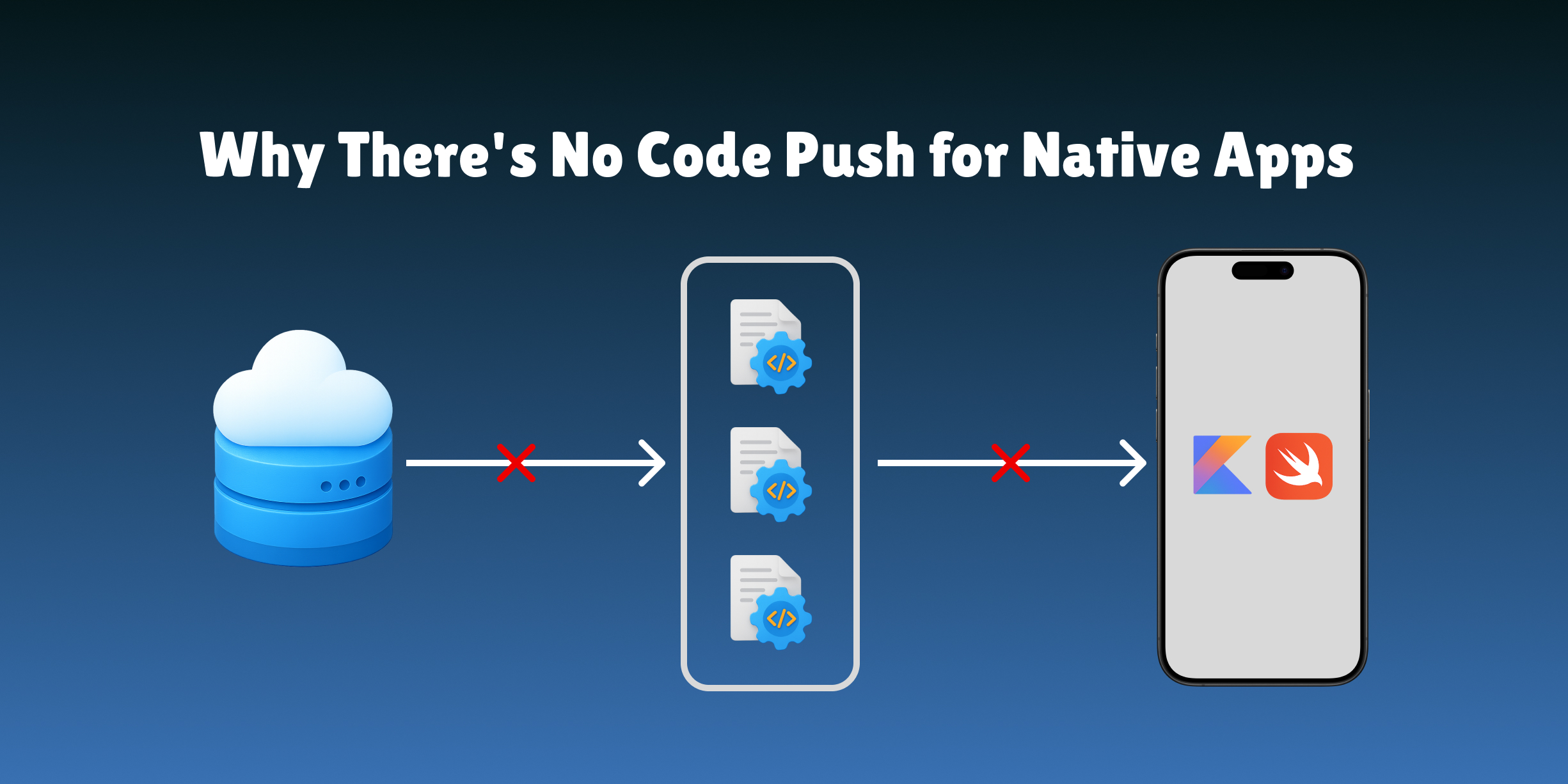
Remote Compose: Server-Driven UI

Alireza Fard
22/03/2026
Remote Compose serializes Jetpack Compose UI into a portable binary document and renders it natively on Android. Here's how it works end-to-end, from document creation to playback, with a full working example.
Building dynamic user interfaces has long been a fundamental challenge in Android development. The traditional approach requires recompiling and redeploying the entire application whenever the UI needs to change, creating significant friction for A/B testing, feature flags, and real-time content updates.
Consider a scenario where your marketing team wants to test a new checkout button design. In the traditional model, this requires developer time, code review, QA testing, app store submission, and weeks of waiting for user adoption. Remote Compose is a framework from the AndroidX team that takes a different path: enabling developers to create, transmit, and render Jetpack Compose UI layouts at runtime, with no recompilation and no WebViews.
Why Existing Approaches Fall Short
Before explaining how Remote Compose works, it helps to understand what it's replacing.
JSON-based server-driven UI, like Airbnb's Epoxy or Shopify's Polaris approach, requires defining a schema that maps to native components. It works for structured content but breaks down for complex animations, custom Canvas drawing, rich text with inline styling, and visual effects like gradients and shadows. Both the server and the client must agree on what every "component" is, and that schema becomes a ceiling on what you can express.
WebViews offer full flexibility but introduce performance overhead from a separate rendering process, inconsistent look and feel between web styling and native design, and memory pressure since each WebView instance is expensive.
Remote Compose takes a third path: instead of describing what to render (a "button", a "card"), it captures the actual drawing operations that Compose would execute. The client doesn't need to know what a "button" is — it just executes drawing instructions.
Setup and Dependencies
Remote Compose is split into separate artifacts depending on your role.
The creation side runs on a plain JVM — no Android SDK required. You use it in your backend or server.
The playback side runs on Android and renders the document.
// settings.gradle.kts — add the AndroidX snapshot repository
dependencyResolutionManagement {
    repositories {
        maven { url = uri("https://androidx.dev/snapshots/latest/artifacts/repository") }
    }
}

// build.gradle.kts (server / backend — JVM only, no Android deps)
dependencies {
    implementation("androidx.compose.runtime:remote-creation-core:1.0.0-alpha11")
    implementation("androidx.compose.runtime:remote-creation-jvm:1.0.0-alpha11")
}

// build.gradle.kts (Android app)
dependencies {
    implementation("androidx.compose.runtime:remote-player-android:1.0.0-alpha11")
}
Note: Remote Compose is not yet published to stable Maven Central. The AndroidX snapshot repository is required.
A Full End-to-End Example
The clearest way to understand Remote Compose is to trace a single UI component all the way from server creation to on-device rendering, including user interaction.
Step 1 — Create the document on the server
This code runs on your backend. There's no Android SDK involved — just a JVM dependency.
// Server-side: ProductCardDocument.kt
import androidx.remotecompose.creation.core.RemoteComposeWriter
import androidx.remotecompose.creation.core.RemoteColumn
import androidx.remotecompose.creation.core.RemoteRow
import androidx.remotecompose.creation.core.RemoteBox
import androidx.remotecompose.creation.core.RemoteText
import androidx.remotecompose.creation.core.RemoteImage
import androidx.remotecompose.creation.core.RemoteSpacer
import androidx.remotecompose.creation.core.RemoteModifier
import androidx.remotecompose.creation.core.FloatExpression

fun createProductCardDocument(
    productName: String,
    price: String,
    badgeText: String?,
    imageUrl: String
): ByteArray {
    val writer = RemoteComposeWriter(width = 360, height = 480)

    writer.content {
        RemoteBox(
            modifier = RemoteModifier
                .fillMaxWidth()
                .background(color = 0xFFFFFFFF.toInt())
                .border(width = 1f, color = 0xFFE0E0E0.toInt(), radius = 12f)
                .padding(16f)
                .clickable(action = "open_product_detail")
        ) {
            RemoteColumn {
                // Product image
                RemoteImage(
                    url = imageUrl,
                    modifier = RemoteModifier
                        .fillMaxWidth()
                        .height(200f)
                        .cornerRadius(8f)
                )

                RemoteSpacer(height = 12f)

                // Badge: only shown when badgeText is not null
                if (badgeText != null) {
                    RemoteBox(
                        modifier = RemoteModifier
                            .background(color = 0xFFFF5722.toInt())
                            .padding(horizontal = 8f, vertical = 4f)
                            .cornerRadius(4f)
                    ) {
                        RemoteText(
                            text = badgeText,
                            fontSize = 11f,
                            color = 0xFFFFFFFF.toInt(),
                            fontWeight = 700
                        )
                    }
                    RemoteSpacer(height = 8f)
                }

                // Product name
                RemoteText(
                    text = productName,
                    fontSize = 16f,
                    fontWeight = 600,
                    color = 0xFF212121.toInt(),
                    maxLines = 2
                )

                RemoteSpacer(height = 8f)

                // Price row
                RemoteRow(
                    modifier = RemoteModifier.fillMaxWidth(),
                    horizontalArrangement = RemoteArrangement.SpaceBetween,
                    verticalAlignment = RemoteAlignment.CenterVertically
                ) {
                    RemoteText(
                        text = price,
                        fontSize = 20f,
                        fontWeight = 700,
                        color = 0xFF1976D2.toInt()
                    )

                    // Add to cart button with a subtle pulse animation
                    RemoteBox(
                        modifier = RemoteModifier
                            .background(color = 0xFF1976D2.toInt())
                            .padding(horizontal = 16f, vertical = 10f)
                            .cornerRadius(8f)
                            .alpha(
                                FloatExpression("0.85 + 0.15 * sin(time * 2.0)")
                            )
                            .clickable(action = "add_to_cart")
                    ) {
                        RemoteText(
                            text = "Add to Cart",
                            fontSize = 14f,
                            fontWeight = 600,
                            color = 0xFFFFFFFF.toInt()
                        )
                    }
                }
            }
        }
    }

    return writer.encodeToByteArray()
}
The FloatExpression("0.85 + 0.15 * sin(time * 2.0)") on the button gives it a gentle pulse. The expression is evaluated per frame by the player — no client-side animation code needed. The clickable(action = "add_to_cart") registers a named action that the host app will handle.
Step 2 — Serve the document over HTTP
The ByteArray is just bytes. You can serve it from any HTTP server.
// Server-side: Ktor route example
fun Application.configureRoutes() {
    routing {
        get("/api/products/{id}/card") {
            val productId = call.parameters["id"]
            val product = productRepository.findById(productId)
                ?: return@get call.respond(HttpStatusCode.NotFound)

            val document = createProductCardDocument(
                productName = product.name,
                price = product.formattedPrice,
                badgeText = product.badge,
                imageUrl = product.imageUrl
            )

            call.response.header(
                HttpHeaders.ContentType, "application/octet-stream"
            )
            call.response.header(
                HttpHeaders.CacheControl, "max-age=300"
            )
            call.respondBytes(document)
        }
    }
}
Cache headers let the client cache the document — the bytes don't change until your server generates a new version.
Step 3 — Fetch and render on Android
// Android app: ProductCardScreen.kt
@Composable
fun ProductCardScreen(
    productId: String,
    onOpenDetail: () -> Unit,
    onAddToCart: () -> Unit,
    viewModel: ProductCardViewModel = hiltViewModel()
) {
    val uiState by viewModel.uiState.collectAsState()

    when (val state = uiState) {
        is UiState.Loading -> CircularProgressIndicator()
        is UiState.Error -> ErrorView(message = state.message)
        is UiState.Success -> {
            val document = remember(state.bytes) {
                RemoteComposeDocument.fromByteArray(state.bytes)
            }

            RemoteComposePlayer(
                modifier = Modifier
                    .fillMaxWidth()
                    .wrapContentHeight(),
                document = document,
                onAction = { action ->
                    when (action) {
                        "open_product_detail" -> onOpenDetail()
                        "add_to_cart" -> onAddToCart()
                    }
                }
            )
        }
    }
}
// ViewModel fetching the document
@HiltViewModel
class ProductCardViewModel @Inject constructor(
    private val api: ProductApi
) : ViewModel() {

    private val _uiState = MutableStateFlow<UiState>(UiState.Loading)
    val uiState: StateFlow<UiState> = _uiState.asStateFlow()

    fun loadCard(productId: String) {
        viewModelScope.launch {
            _uiState.value = UiState.Loading
            try {
                val bytes = api.getProductCardDocument(productId)
                _uiState.value = UiState.Success(bytes)
            } catch (e: Exception) {
                _uiState.value = UiState.Error(e.message ?: "Failed to load")
            }
        }
    }
}

sealed class UiState {
    object Loading : UiState()
    data class Success(val bytes: ByteArray) : UiState()
    data class Error(val message: String) : UiState()
}
That's the full loop. The server writes Compose-like code, serializes it to bytes, and the Android app downloads and renders it with zero knowledge of the server's composable functions. The pulse animation, the conditional badge, and the tap handlers all work without any client-side code changes.
The Architecture in Depth
How Document Creation Works
The RemoteComposeWriter intercepts drawing operations at the Canvas level — the lowest level of Android's rendering pipeline. When you call RemoteColumn { RemoteText(...) }, the writer doesn't render anything; it serializes the draw calls into a binary stream.
The resulting document is self-contained. It includes:
- Visual elements: shapes, colors, gradients, shadows
- Text: strings, fonts, sizes, styling
- Images: embedded bitmaps or URLs for lazy loading
- Layout: sizes, positions, padding, alignment
- Interactions: touch regions mapped to named action strings
- State variables: named values that the client can update at runtime
- Animations: time-based mathematical expressions
The creation side only uses remote-creation-core and remote-creation-jvm, so your server has no dependency on the Android SDK. You can run this in a Spring Boot service, a Ktor server, or a CLI tool.
How Document Playback Works
The RemoteComposePlayer is a composable that takes a RemoteComposeDocument and renders it. Internally, the player iterates through operations in the document and executes each one against a Canvas — conceptually similar to how a video player decodes frames, except instead of pixels, it's decoding drawing instructions.
The player tracks animation time and passes it to expression evaluations each frame. This is how FloatExpression("0.5 + 0.5 * sin(time * 3.14)") produces smooth animation with no client code.
For apps that haven't fully migrated to Compose, there's also a View-based player:
// In a Fragment or View hierarchy
val remoteView = RemoteComposeView(context)
remoteView.setDocument(RemoteComposeDocument.fromByteArray(bytes))
remoteView.setOnActionListener { action ->
    when (action) {
        "add_to_cart" -> addToCart()
    }
}
Both the composable and view-based players provide identical rendering fidelity.
The Operation Model
Remote Compose defines over 90 distinct operations covering the full vocabulary of Canvas drawing. This is the key difference from JSON-based approaches.
Drawing Operations
These capture raw Canvas primitives. Every visual element in the document is expressed as one of these:
| Operation | Purpose |
|---|---|
DRAW_RECT | Rectangles for buttons, cards, backgrounds |
DRAW_ROUND_RECT | Rounded corners for Material surfaces |
DRAW_CIRCLE | Avatars, indicators, icons |
DRAW_TEXT | Text with full font and color styling |
DRAW_BITMAP | Embedded or URL-referenced images |
DRAW_TWEEN_PATH | Animated path morphing between shapes |
Each operation carries all the information needed to execute it: coordinates, colors, paint styles, and references to resources stored elsewhere in the document.
Layout Operations
Layout operations define the component hierarchy using a push/pop model that mirrors how Compose's layout system works.
Container (Column)
  Component (Image)
  Component (Text: product name)
  Container (Row)
    Component (Text: price)
    Container (Box: button)
      Component (Text: "Add to Cart")
    ContainerEnd
  ContainerEnd
ContainerEnd
When the player encounters a Container, it creates a new layout context. All subsequent operations apply within that context until ContainerEnd pops it.
State and Expression Operations
This is what makes documents dynamic rather than static screenshots.
NamedVariable declares a named state variable. FloatExpression and IntegerExpression embed mathematical formulas that are evaluated every frame by the player. The expression language supports arithmetic, trigonometric functions (sin, cos), interpolation (lerp), clamping, and variable references.
// Server-side: a "liked" state with an animated heart icon
writer.content {
    RemoteBox {
        val isLiked = NamedVariable("is_liked", defaultValue = 0)

        RemoteImage(
            resource = ConditionalOp(
                condition = isLiked,
                trueValue = R.drawable.heart_filled,
                falseValue = R.drawable.heart_outline
            ),
            modifier = RemoteModifier
                .size(24f)
                .scale(FloatExpression("1.0 + 0.2 * sin(time * 6.0) * is_liked"))
                .clickable(action = "toggle_like")
        )
    }
}
When the user taps the heart, the app fires toggle_like. The app updates is_liked on the player, and the icon switches with a bounce animation — all defined in the document, none of it in client code.
Interaction Operations
TouchOperation defines a rectangular region mapped to a named action string. When the user taps within the region, the player fires the action name. The document itself has no knowledge of what navigation, analytics, or state management your app uses — it just fires a string.
// Server-side: two distinct tap areas on the same card
RemoteBox {
    RemoteImage(
        url = imageUrl,
        modifier = RemoteModifier
            .fillMaxWidth()
            .clickable(action = "open_gallery") // tapping image opens gallery
    )
    RemoteText(
        text = productName,
        modifier = RemoteModifier
            .clickable(action = "open_detail") // tapping name opens detail
    )
}
// Client-side: handle both actions
RemoteComposePlayer(
    document = document,
    onAction = { action ->
        when (action) {
            "open_gallery" -> navController.navigate("gallery/$productId")
            "open_detail" -> navController.navigate("detail/$productId")
        }
    }
)
State Management and Bidirectional Communication
Remote Compose isn't limited to static one-way rendering. Documents can embed state that the client updates at runtime, and the player re-renders with new values.
// Client-side: update document state from app logic
@Composable
fun InteractiveProductCard(document: RemoteComposeDocument, isInCart: Boolean) {
    val playerState = rememberRemoteComposeState(document)

    LaunchedEffect(isInCart) {
        playerState.updateVariable("in_cart", if (isInCart) 1 else 0)
    }

    RemoteComposePlayer(
        modifier = Modifier.fillMaxWidth(),
        state = playerState,
        onAction = { action ->
            when (action) {
                "toggle_like" -> playerState.updateVariable(
                    "is_liked",
                    if (playerState.getVariable("is_liked") == 0) 1 else 0
                )
                "add_to_cart" -> viewModel.addToCart()
            }
        }
    )
}
The server-side document declares in_cart as a NamedVariable. The server defines what in_cart = 1 looks like, perhaps a filled cart icon and a "Remove" button instead of "Add to Cart". The client controls the value. Neither side needs to know how the other is implemented.
What This Enables
A/B Testing Without Binary Bloat
Traditional feature flags require shipping all variants inside the app binary:
// Traditional: all variants in the binary
fun CheckoutButton(variant: Variant) {
    when (variant) {
        Variant.CONTROL -> OriginalCheckoutButton()
        Variant.TREATMENT_A -> RoundedCheckoutButton()
        Variant.TREATMENT_B -> FloatingCheckoutButton()
        Variant.TREATMENT_C -> AnimatedCheckoutButton()
    }
}
Every variant ships in every build. Dead code accumulates. A misconfigured flag can expose an unreleased design.
With Remote Compose, the server routes each user segment to a different document URL. The client code is the same for everyone:
// Client: completely agnostic to which variant is shown
RemoteComposePlayer(
    document = document,
    onAction = { action -> handleAction(action) }
)
// Server: routes users to different documents
get("/api/checkout/button") {
    val userId = call.request.headers["X-User-Id"]
    val variant = abTestingService.getVariant(userId, "checkout_button_test")
    val document = checkoutButtonDocuments[variant]
        ?: checkoutButtonDocuments[Variant.CONTROL]
    call.respondBytes(document!!)
}
Roll out the winner by updating the routing rule. Rollback is instant; no emergency release needed.
Real-Time UI Updates
Marketing can deploy a Black Friday banner at midnight without a release:
// Server: swap documents based on date
get("/api/home/hero") {
    val document = when {
        isBlackFriday() -> blackFridayHeroDocument
        isCyberMonday() -> cyberMondayHeroDocument
        else -> defaultHeroDocument
    }
    call.respondBytes(document)
}
All users see the new UI immediately. No app store submission, no waiting for adoption.
Feature Flags Without Dead Code
When a feature flag controls a Remote Compose endpoint, the old UI simply isn't transmitted anymore. There's no dead code in the binary, no security exposure from misconfigured flags.
Architecture Patterns
Hybrid Architecture (Recommended)
Most apps benefit from keeping critical screens — authentication, checkout, core navigation — in local Compose code, while using Remote Compose for dynamic content areas.
@Composable
fun HomeScreen() {
    LazyColumn {
        // Local Compose: stable, tested, critical path
        item { UserGreeting(user = currentUser) }

        // Remote Compose: marketing team controls this
        item {
            RemoteComposePlayer(
                document = heroBannerDocument,
                modifier = Modifier.fillMaxWidth().height(200.dp)
            )
        }

        // Local Compose: reliability matters more than flexibility here
        items(recentOrders) { order -> OrderCard(order) }

        // Remote Compose: product cards update frequently
        items(featuredProducts) { product ->
            RemoteComposePlayer(document = product.cardDocument)
        }
    }
}
Document Caching for Offline Support
class DocumentRepository(
    private val api: DocumentApi,
    private val cache: DocumentCache
) {
    suspend fun getDocument(key: String): ByteArray {
        // Return cached version immediately, refresh in background
        val cached = cache.get(key)
        if (cached != null) {
            refreshInBackground(key)
            return cached
        }
        val fresh = api.fetchDocument(key)
        cache.put(key, fresh, ttl = 5.minutes)
        return fresh
    }

    private fun refreshInBackground(key: String) {
        scope.launch {
            try {
                val fresh = api.fetchDocument(key)
                cache.put(key, fresh)
            } catch (e: Exception) { /* keep serving cached */ }
        }
    }
}
Preloading for Smooth Navigation
@Composable
fun ProductListScreen(products: List<Product>) {
    val documentCache = remember { mutableMapOf<String, RemoteComposeDocument>() }

    LaunchedEffect(products) {
        // Preload the first 5 product cards
        products.take(5).forEach { product ->
            launch {
                val bytes = api.getProductCardDocument(product.id)
                documentCache[product.id] = RemoteComposeDocument.fromByteArray(bytes)
            }
        }
    }

    LazyColumn {
        items(products) { product ->
            val document = documentCache[product.id]
            if (document != null) {
                RemoteComposePlayer(document = document)
            } else {
                ProductCardPlaceholder()
            }
        }
    }
}
Current Status
Remote Compose is at 1.0.0-alpha11 at the time of writing. It's early: APIs will change, documentation is sparse, and not all Compose primitives have Remote* equivalents yet. It requires the AndroidX snapshot repository rather than stable Maven Central. The framework is still in active development by the AndroidX team.
The foundation — the operation model, the binary format, and the creation/playback split — is architecturally solid. With Google's backing, it's reasonable to expect more attention on this framework as it matures.
How Remote Compose Compares to Nativeblocks
Remote Compose and Nativeblocks solve overlapping problems from different angles.
| Remote Compose | Nativeblocks | |
|---|---|---|
| Platform | Android only | Android and iOS |
| UI authoring | Code (Compose API on JVM) | Visual Studio + code |
| Custom components | Any Compose code, serialized | Register blocks with annotations |
| Designer involvement | None — engineers only | Designers can edit layouts directly |
| Infrastructure | You build and host everything | Managed cloud platform |
| Status | Alpha (alpha05) | Production-ready |
| Offline support | Manual caching required | Built-in caching and fallback |
| A/B testing | Manual via document routing | Built-in with targeting rules |
| Animations | Time-expression based, server-defined | Supported via block properties |
Remote Compose is the right choice when you're building Android-only, your team is comfortable writing server-side Compose code, and you want full control over the infrastructure. You get native rendering fidelity with no schema constraints. The trade-off is that you own the entire pipeline: document generation, hosting, versioning, caching, and rollback.
Nativeblocks is the right choice when you need to ship server-driven UI across both Android and iOS, you want non-engineers to participate in layout changes, or you don't want to build and maintain the supporting infrastructure. It handles the platform differences, the visual editor, the delivery network, and the rollback tooling. Custom blocks integrate through a KSP annotation processor on both platforms.
If you're building Android-only and want to experiment with binary UI serialization at a low level, Remote Compose is worth exploring today. If you need something running in production across both platforms with a team that includes designers and product managers, Nativeblocks covers that ground now.